FittyUp guides
Set up two-way Apple Health sync with preview-before-import control
Your Apple Watch and iPhone already collect valuable recovery and activity data. Connecting Apple Health with FittyUp brings your steps, sleep stages, heart rate, HRV, and workouts into the same context as your nutrition diary — with full per-metric permission control.
Granular Read/Write Matrix & Duplicate Prevention
Preview incoming records before importing · Zero ad tracking
Plus Weight, Body Fat %, SpO2, Resp Rate, BP, Glucose
Preview-before-import prevents Apple Watch duplicates
TODAY'S SYNCED SNAPSHOT
8,940 Steps · 7h 45m Sleep · HRV 64 ms
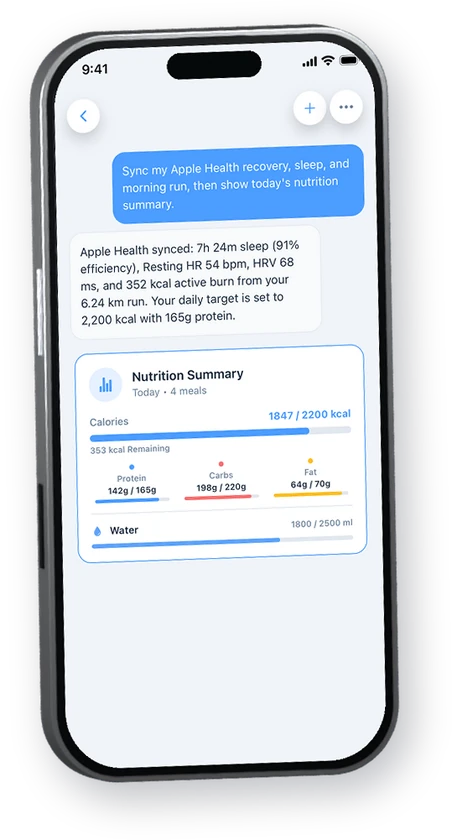
☀️ Default
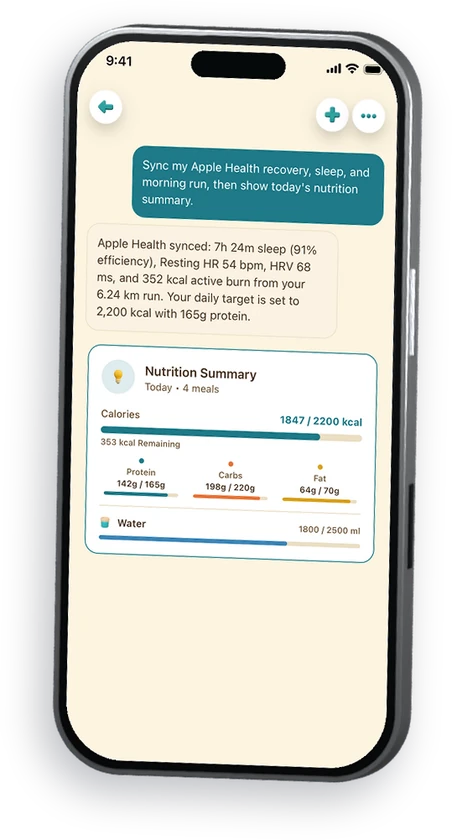
🧸 Clay
What FittyUp can read from Apple Health (up to 16 metrics)
With your permission, FittyUp can read steps, active energy, resting energy, workouts, sleep analysis (Awake, REM, Core, Deep), body weight, body fat, resting heart rate, heart rate variability (HRV), VO2 max, blood oxygen, respiratory rate, blood pressure, and blood glucose.
What FittyUp can write back to Apple Health
When enabled, FittyUp can write logged workouts, outdoor GPS routes, sleep records, body weight, and water intake back to Apple Health so your rings and health history stay unified.
Preview and confirm imports to prevent duplicate entries
In Settings → Apple Health, you can choose exactly which categories sync and preview incoming records before importing so you never end up with duplicate workouts.
Privacy-first HealthKit handling: zero ad tracking, ever
Apple Health data is used solely to display your personal wellness metrics and ground your in-app guidance. It is never used for advertising, profiling, or sold to third parties.
Frequently asked questions
Can I allow FittyUp to read steps and sleep without writing back to Apple Health?
Yes. iOS HealthKit lets you toggle each individual read and write metric separately.
How do I avoid duplicate workouts if I record on Apple Watch?
If you record workouts with the native Apple Watch Workout app, enable Workout Read in FittyUp and leave Workout Write off, or review imports before confirming.
Is my Apple Health data ever shared with advertisers?
Never. FittyUp strictly prohibits using HealthKit data for advertising, marketing, or third-party data brokerage.
How do I change or revoke Apple Health permissions?
You can manage permissions anytime in iOS Settings → Health → Data Access & Devices → FittyUp.
Nutrition values are estimates. Check ingredients yourself if you have allergies. FittyUp supports general wellness and does not replace medical advice.
AI features use credits. Availability depends on your app version and plan.