Apple Health · Sleep, Vitals & Two-Way Sync
Connect your nutrition with sleep, vitals, and workouts.
Your meals, sleep quality, hydration, and training recovery all influence one another. With your permission, FittyUp connects with Apple Health so you can see up to 16 health metrics alongside your daily food diary.
AI features use credits · View plans
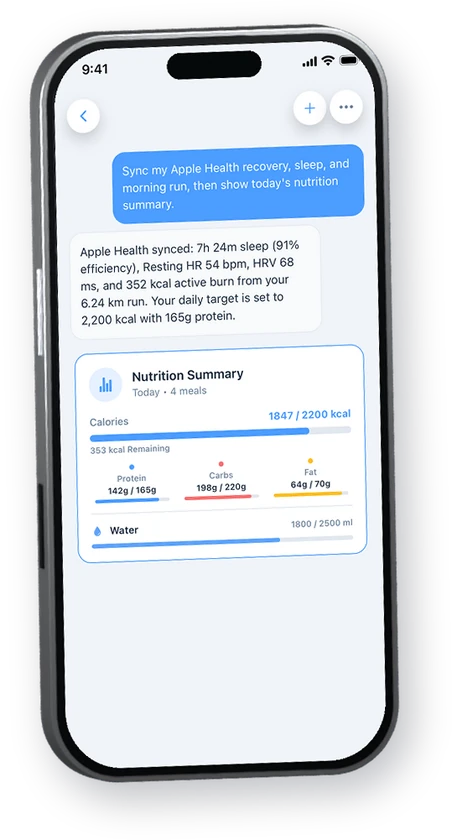
☀️ Default Theme
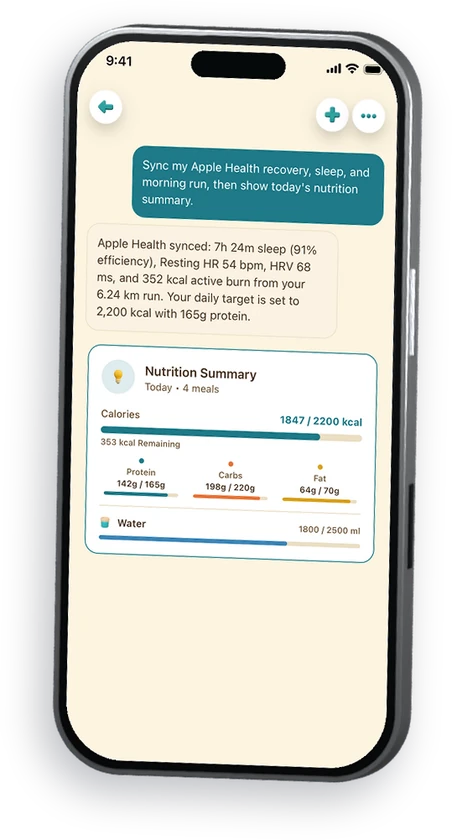
🧸 Clay Theme

Real iOS simulator screens & sample data
See how the screens and cards look inside FittyUp
Captured from iPhone 16e simulator with sample nutrition and workout records
☀️ Default
🧸 Clay
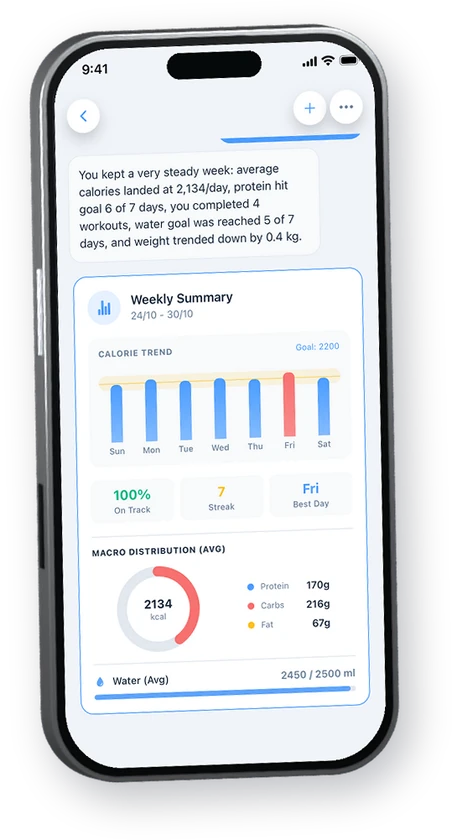
☀️ Default
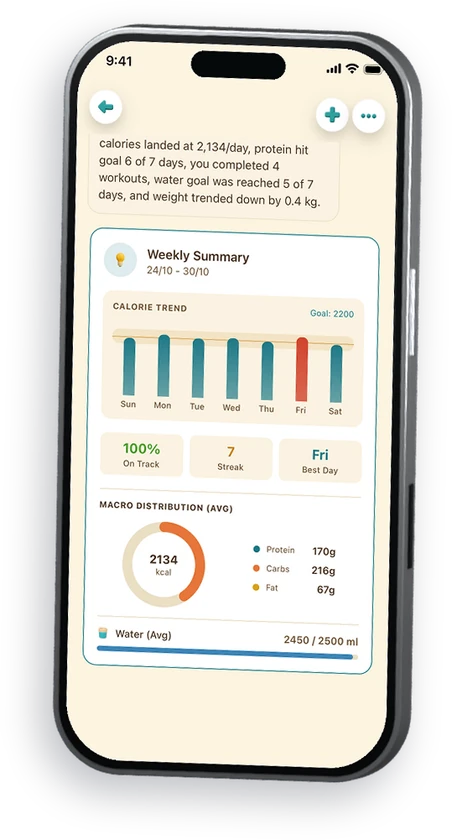
🧸 Clay
Preview-Before-Import & Morning AI Briefing
Zero Advertising Use · Granular Per-Metric Read/Write Permissions
WEEKLY HEALTH SCORECARD
2,134 kcal/day avg · Nutrition Consistency 87% · Sleep Efficiency 91%
Two-way HealthKit sync under your control
- 01
Choose exact permissions
Enable only the Apple Health categories you want to read or write. You can change or revoke any permission at any time in iOS Settings or inside FittyUp.
- 02
Bring sleep, steps, and vitals into view
Read sleep duration and stages, steps, active energy, resting heart rate, HRV, and VO2 max so your daily dashboard reflects how you rested and moved.
- 03
Keep workouts, weight, and water aligned
Write logged workouts, GPS routes, water intake, and weight entries back to Apple Health so your records stay consistent across your iPhone and Apple Watch.
Sleep, HRV, RHR, and VO2 max alongside your food diary
Seeing a late meal, a short night of sleep, and a heavy workout on the same timeline makes daily patterns easier to spot. Numi can also include the health context you choose to share when preparing your morning Daily Briefing.
Apple Health data is never used for advertising or sold to third parties. Vital signs and sleep metrics displayed in FittyUp are for general wellness awareness only and are not intended for medical diagnosis or clinical monitoring.
Questions about Apple Health and privacy
Which Apple Health metrics can FittyUp sync?
With your permission, FittyUp can sync up to 16 HealthKit categories including workouts, active energy, steps, sleep analysis, water intake, body weight, body fat percentage, resting heart rate (RHR), heart rate variability (HRV), and VO2 max.
Do I have to share all my Apple Health data?
No. Apple Health integration is completely optional and granular. You choose which individual metrics to allow for reading or writing, and FittyUp works even if you disable Apple Health sync.
How does FittyUp use sleep and recovery metrics?
FittyUp displays your sleep duration, consistency, and recovery trends next to your nutrition and workout logs so you can pace your daily goals and rest days more thoughtfully.
Is my Apple Health data shared with advertisers?
Never. HealthKit data is used solely to provide health and wellness features inside your FittyUp account and is never used for advertising, marketing brokerages, or data resale.
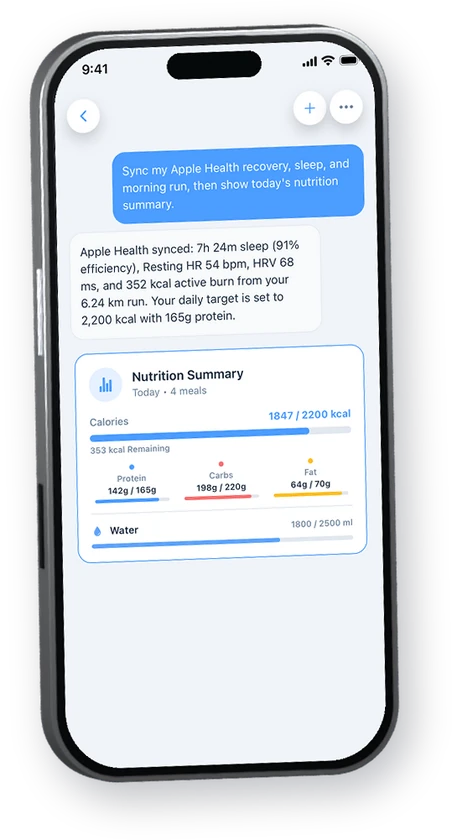
FittyUp guides
Set up two-way Apple Health sync with preview-before-import control
Learn how FittyUp connects with Apple Health (HealthKit) to read up to 16 metrics (steps, sleep, HRV, VO2 max) and write workouts, water, and weight.
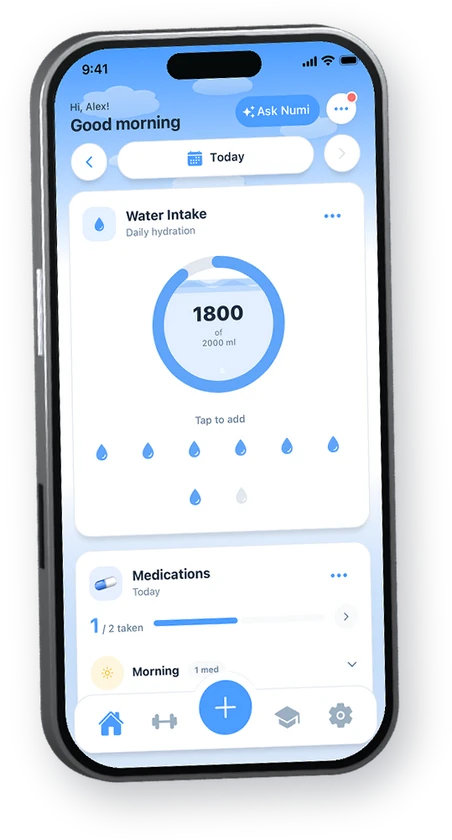
FittyUp guides
Keep hydration, sleep stages, and supplement schedules in one calm rhythm
Poor sleep and low water intake sabotage fat loss. See how to manage smart hydration reminders, sleep stages, and pauseable supplement schedules in FittyUp.